
How to Calculate Percentage Increase and Decrease: Formula & Examples
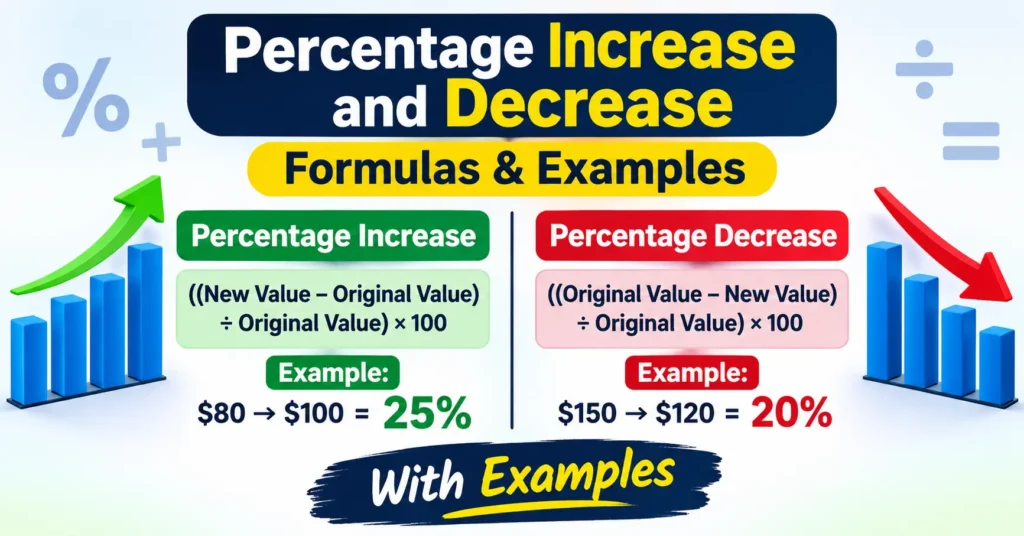
Percentage increase and percentage decrease help you understand how much a value has changed compared with its original amount. You can use these calculations to compare prices, salary changes, business sales, population figures, exam results, and many other everyday situations.
The important thing to remember is that percentage change is calculated using the original value as the starting point. This guide explains both formulas with simple examples and step-by-step calculations.
What Is Percentage Increase?
Percentage increase tells you how much a value has grown compared with its original value. For example, if a product’s price rises from $80 to $100, the increase is $20. Percentage increase tells you what that $20 increase represents relative to the original $80 price.
Percentage Increase Formula
Example: Product Price Increase
Suppose a product’s original price was $80 and its new price is $100.
- Original value = $80
- New value = $100
- Increase = $100 − $80 = $20
- Divide the increase by the original value: $20 ÷ $80 = 0.25
- Multiply by 100: 0.25 × 100 = 25%
Answer: The product price increased by 25%.
What Is Percentage Decrease?
Percentage decrease measures how much a value has fallen compared with its original amount. It is commonly used for discounts, price reductions, lower expenses, declining sales, and other decreases.
Percentage Decrease Formula
Example: Discounted Product Price
Imagine a product originally costs $150, but its price is reduced to $120.
- Original value = $150
- New value = $120
- Decrease = $150 − $120 = $30
- Divide the decrease by the original value: $30 ÷ $150 = 0.20
- Multiply by 100: 0.20 × 100 = 20%
Answer: The product price decreased by 20%.
More Real-Life Percentage Change Examples
1. Salary Increase
Your monthly salary increases from $2,000 to $2,300.
Increase = $2,300 − $2,000 = $300
Percentage increase = ($300 ÷ $2,000) × 100 = 15%
Your salary increased by 15%.
2. Monthly Expenses Decrease
Your monthly expenses fall from $500 to $400.
Decrease = $500 − $400 = $100
Percentage decrease = ($100 ÷ $500) × 100 = 20%
Your expenses decreased by 20%.
3. Business Sales Increase
A shop’s monthly sales rise from $8,000 to $10,000.
Increase = $10,000 − $8,000 = $2,000
Percentage increase = ($2,000 ÷ $8,000) × 100 = 25%
Monthly sales increased by 25%.
How to Calculate the Original Value After a Percentage Increase
Sometimes you know the new value and the percentage increase, but you need to find the original value.
Example: A product costs $120 after a 20% increase. What was its original price?
Original Value = $120 ÷ 1.20 = $100
The original price was $100.
How to Calculate the Original Value After a Percentage Decrease
You can also work backwards when you know the reduced value and the percentage decrease.
Example: A product costs $80 after a 20% decrease. What was its original price?
Original Value = $80 ÷ 0.80 = $100
The original price was $100.
Percentage Change vs. Percentage Points
Percentage change and percentage points are not the same thing.
Percentage points describe the direct difference between two percentages. Percentage change describes the relative increase or decrease between them.
Example: If an interest rate rises from 10% to 15%, the difference is 5 percentage points. However, the relative percentage increase is:
((15 − 10) ÷ 10) × 100 = 50%
So the rate increased by 5 percentage points, which represents a 50% relative increase.
Common Mistakes to Avoid
- Using the wrong starting value: Always divide by the original value, not the new value.
- Confusing the amount with the percentage: A $20 increase is an amount; the percentage tells you how large that increase is relative to the original value.
- Mixing up increase and decrease formulas: Subtract the original value from the new value for an increase, and subtract the new value from the original value for a decrease.
- Forgetting to multiply by 100: The final step converts the decimal into a percentage.
- Using zero as the original value: Percentage increase or decrease cannot be calculated using the standard formula when the original value is zero, because division by zero is undefined.
Quick Reference: Percentage Increase and Decrease Formulas
- Percentage Increase: ((New Value − Original Value) ÷ Original Value) × 100
- Percentage Decrease: ((Original Value − New Value) ÷ Original Value) × 100
- Original Value After Increase: New Value ÷ (1 + Increase Percentage ÷ 100)
- Original Value After Decrease: New Value ÷ (1 − Decrease Percentage ÷ 100)
Frequently Asked Questions
How do I calculate percentage increase?
Subtract the original value from the new value, divide the result by the original value, and multiply by 100.
How do I calculate percentage decrease?
Subtract the new value from the original value, divide the difference by the original value, and multiply by 100.
Why do I divide by the original value?
The original value is the starting point. Dividing by it shows how large the change is relative to what you started with.
Can percentage decrease be greater than 100%?
For non-negative values, a decrease from a positive original value down to zero represents a 100% decrease. A negative result may occur if the new value is below zero, but that is generally a change in sign rather than an ordinary decrease.
Can I calculate percentage change if the original value is zero?
No. The standard percentage change formula requires division by the original value, so it is undefined when the original value is zero.
What is the difference between percentage change and percentage points?
Percentage points measure the direct difference between two percentages. Percentage change measures that difference relative to the original percentage.
Learn More About Percentage Calculations
If you want to understand the basics of percentages, read our complete guide: How to Calculate Percentage: Formula, Examples & Step-by-Step Guide.
You can also explore our calculator directory for more useful calculation tools.
Final Thoughts
Calculating percentage increase and decrease is straightforward once you understand the formulas and use the original value as your reference point. Whether you are comparing prices, tracking salary changes, reviewing expenses, or measuring business growth, these calculations help you understand changes clearly and accurately.